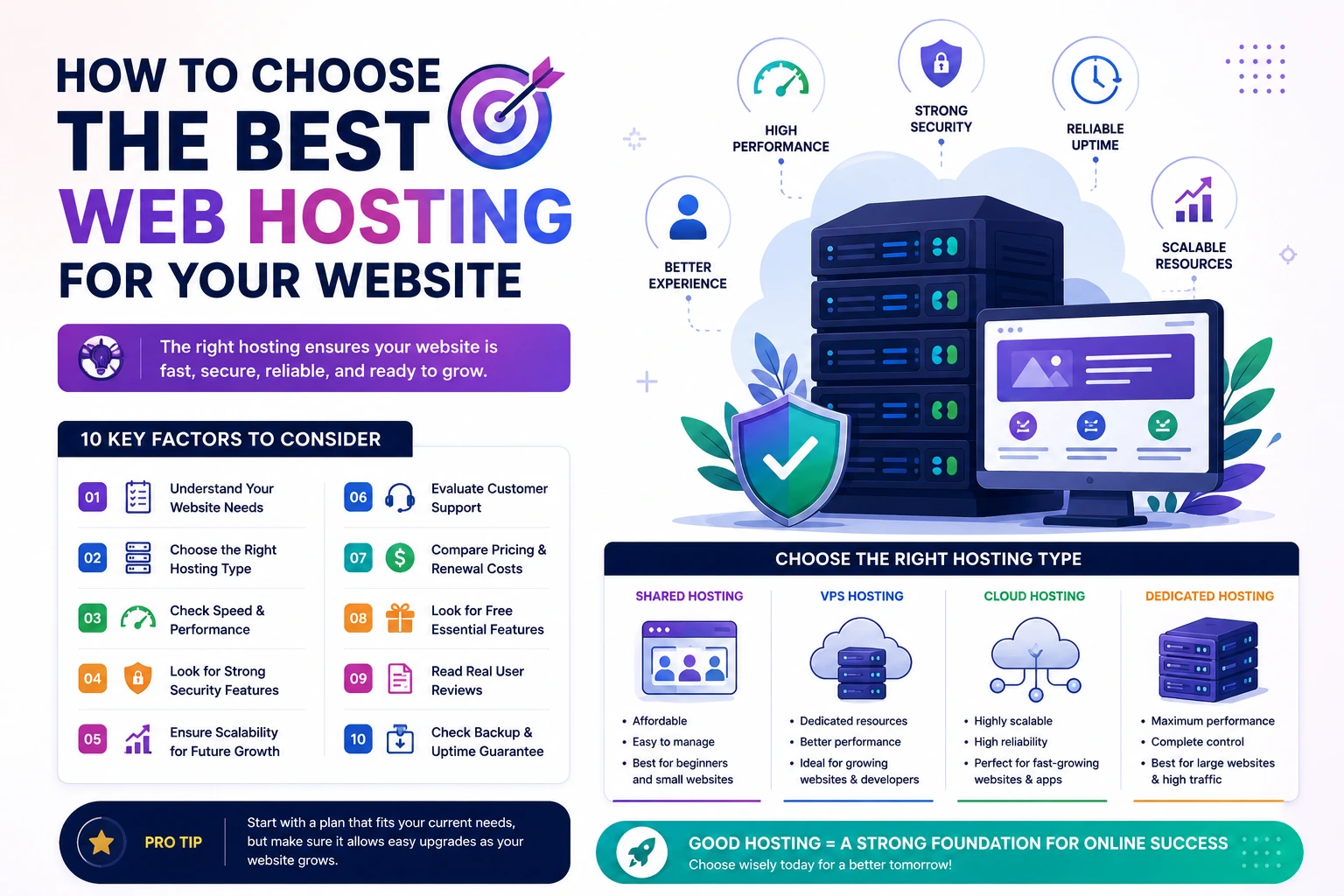
How to Choose the Best Web Hosting for Your Website
Choosing the right web hosting is one of the most important decisions you'll make when building a website. Your hosting provider affects your website's speed, security, uptime, SEO performance, and overall user experience.
With so many hosting options available, beginners often struggle to determine which hosting solution best fits their needs. Whether you're creating a personal blog, business website, portfolio, e-commerce store, or custom web application, selecting the right hosting can save you time, money, and future headaches.
In this guide, you'll learn the key factors to consider when choosing the best web hosting for your website.
Why Web Hosting Matters
Web hosting is the foundation of your website. Even the best-designed website can perform poorly if it's hosted on an unreliable server.
Good hosting helps ensure:
- Fast loading speeds
- Better search engine rankings
- Strong security
- Reliable uptime
- Smooth user experience
- Future scalability
Poor hosting can lead to:
- Slow websites
- Frequent downtime
- Security vulnerabilities
- Lost customers and revenue
1. Understand Your Website's Needs
Before selecting a hosting provider, consider your website's requirements.
Ask yourself:
- How much traffic do I expect?
- Will my website grow quickly?
- Do I need custom software?
- Will I run an online store?
- Do I need email hosting?
- What is my budget?
Different websites have different hosting needs.
Personal Blog
Usually requires:
- Shared Hosting
- Basic storage
- Low traffic support
Business Website
Usually requires:
- Reliable uptime
- Strong security
- Fast performance
E-Commerce Store
Requires:
- SSL certificates
- Enhanced security
- High performance
- Scalability
Laravel or Custom Web Applications
Requires:
- Better server resources
- Advanced configuration options
- VPS or Cloud Hosting
2. Choose the Right Hosting Type
Shared Hosting
Best for:
- Beginners
- Blogs
- Small websites
- Portfolio websites
Advantages:
- Affordable
- Easy to manage
- No technical expertise required
VPS Hosting
Best for:
- Growing businesses
- Laravel applications
- High-traffic websites
Advantages:
- Dedicated resources
- Better performance
- Greater control
Cloud Hosting
Best for:
- Fast-growing websites
- SaaS applications
- Large businesses
Advantages:
- High scalability
- Excellent reliability
- Flexible resources
Dedicated Hosting
Best for:
- Enterprise websites
- Large-scale applications
Advantages:
- Maximum performance
- Complete control
3. Check Website Speed and Performance
Website speed directly impacts:
- User experience
- Conversion rates
- SEO rankings
When comparing hosting providers, look for:
- SSD or NVMe storage
- Built-in caching
- CDN integration
- Optimized server technology
A faster website can improve both visitor satisfaction and search engine visibility.
Why It Matters
Studies consistently show that users abandon websites that load slowly.
4. Look for Reliable Uptime
Uptime measures how often your website remains available.
Choose hosting providers that offer:
- 99.9% uptime guarantee
- Reliable infrastructure
- Proven track record
Even a few hours of downtime can result in lost visitors, leads, and sales.
Recommended Uptime
Aim for hosting providers offering at least:
99.9% uptime
5. Evaluate Security Features
Website security should never be ignored.
Look for hosting providers that include:
- Free SSL certificates
- Firewall protection
- Malware scanning
- DDoS protection
- Automatic backups
- Secure data centers
Security is especially important for:
- Business websites
- Online stores
- Membership websites
- Customer portals
6. Consider Scalability
Your hosting should support future growth.
As your traffic increases, you may need:
- More storage
- More RAM
- More CPU resources
Choose a provider that allows easy upgrades without requiring a full migration.
Good Hosting Grows With You
The best hosting solution today should still support your website a year from now.
7. Check Customer Support Quality
Technical issues can occur at any time.
Reliable customer support can save hours of frustration.
Look for:
- 24/7 support
- Live chat
- Ticket system
- Knowledge base
- Fast response times
Good support is especially valuable for beginners.
8. Compare Pricing Carefully
Many hosting companies advertise very low introductory prices.
Before purchasing, review:
- Renewal pricing
- Hidden fees
- Upgrade costs
- Backup fees
- Domain renewal costs
The cheapest option isn't always the best value.
Focus on:
- Performance
- Reliability
- Features
- Support
9. Look for Free Features
Many hosting providers include valuable extras.
Common features include:
- Free SSL certificate
- Free domain name
- Website migration
- Email hosting
- Daily backups
- CDN integration
These features can save money and simplify website management.
10. Read Real User Reviews
Before choosing a hosting provider, research customer experiences.
Look for feedback regarding:
- Speed
- Reliability
- Customer support
- Security
- Uptime
Pay attention to long-term user experiences rather than marketing claims alone.
Best Hosting Based on Website Type
Website Type | Recommended Hosting
Personal Blog | Shared Hosting
Portfolio Website | Shared Hosting
Small Business Website | Shared or VPS Hosting
E-Commerce Store | VPS or Cloud Hosting
Laravel Application | VPS Hosting
SaaS Platform | VPS or Cloud Hosting
Enterprise Website | Dedicated or Cloud Hosting
Common Hosting Mistakes to Avoid
Choosing Based Only on Price
Cheap hosting often comes with performance limitations.
Ignoring Future Growth
Select hosting that can scale with your website.
Skipping Security Features
Security should be a priority from day one.
Not Checking Renewal Costs
Many providers increase pricing after the first term.
Overbuying Resources
Don't pay for enterprise-level hosting if you're launching a simple blog.
Recommended Hosting for Beginners
If you're just starting your first website, look for hosting providers that offer:
✅ Easy setup
✅ Free SSL certificate
✅ Good uptime
✅ Affordable pricing
✅ Responsive support
✅ User-friendly control panel
This combination provides a smooth experience without overwhelming technical complexity.
Final Thoughts
The best web hosting depends on your website's goals, traffic expectations, technical requirements, and budget.
For beginners and small websites, Shared Hosting is often the most affordable and practical choice. For growing businesses, Laravel applications, and websites expecting significant traffic, VPS or Cloud Hosting can provide better performance and scalability.
Rather than focusing solely on price, prioritize reliability, speed, security, support, and future growth. Investing in quality hosting today can improve user experience, SEO performance, and long-term website success.