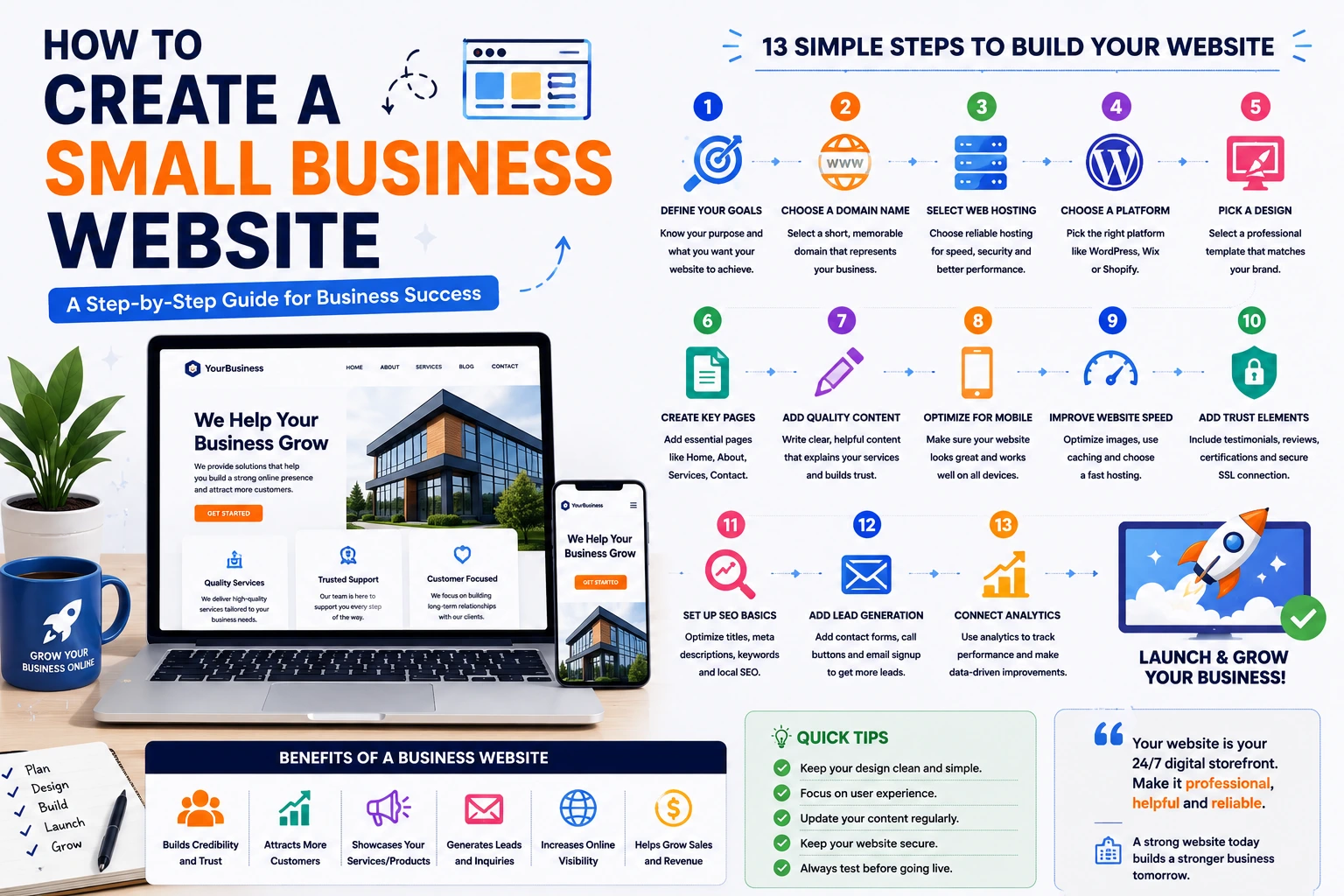
How to Create a Small Business Website
In today's digital world, a professional website is no longer optional for small businesses. Whether you run a local service company, retail store, consultancy, restaurant, or online business, your website serves as your digital storefront and often creates the first impression for potential customers.
A well-designed business website helps build trust, attract customers, generate leads, and increase sales. The good news is that creating a small business website has become easier and more affordable than ever.
In this guide, you'll learn the essential steps to create a successful small business website.
Why Every Small Business Needs a Website
Many customers search online before making purchasing decisions.
A website helps your business:
- Establish credibility
- Showcase products or services
- Generate leads
- Increase visibility on Google
- Provide customer support information
- Compete with larger businesses
Without a website, potential customers may choose competitors who have a stronger online presence.
Step 1: Define Your Website Goals
Before building your website, identify what you want it to achieve.
Common goals include:
Lead Generation
Collect inquiries through contact forms.
Product Sales
Sell products directly online.
Service Promotion
Showcase services and attract clients.
Brand Awareness
Increase visibility and credibility.
Understanding your goals will influence the design and functionality of your website.
Step 2: Choose a Domain Name
Your domain name is your website address.
Examples:
- yourbusiness.com
- abcservices.com
- smithconsulting.com
Tips for choosing a domain:
- Keep it short and memorable
- Use your business name when possible
- Avoid numbers and hyphens
- Choose a professional extension like .com
A good domain name strengthens your brand identity.
Step 3: Select Reliable Web Hosting
Web hosting stores your website files and makes them accessible online.
When selecting hosting, look for:
- Fast loading speeds
- Strong uptime guarantee
- Security features
- Customer support
- Scalability options
For most small business websites, quality shared hosting is often sufficient when starting.
As traffic grows, upgrading to VPS or cloud hosting may become beneficial.
Step 4: Choose a Website Platform
Several platforms make website creation simple.
WordPress
Best for:
- Business websites
- Blogs
- Service companies
Benefits:
- Flexible
- SEO-friendly
- Thousands of plugins
Shopify
Best for:
- Online stores
Benefits:
- Easy product management
- Built-in payment processing
Wix
Best for:
- Beginners
- Small local businesses
Benefits:
- Drag-and-drop editor
- Easy setup
Choose a platform that aligns with your business requirements and future growth plans.
Step 5: Select a Professional Design
Your website design should reflect your brand.
A professional design should be:
- Clean
- Modern
- Mobile-friendly
- Easy to navigate
- Fast loading
Avoid cluttered layouts that overwhelm visitors.
Remember:
Simple designs often convert better than overly complicated ones.
Step 6: Create Essential Business Pages
Every small business website should include several key pages.
Home Page
Introduce your business and highlight your main services.
About Us
Tell your story and explain why customers should trust your business.
Services or Products
Clearly describe what you offer.
Contact Page
Provide:
- Phone number
- Email address
- Contact form
- Business hours
Privacy Policy
Important for legal compliance and user trust.
Additional pages may include:
- FAQ
- Testimonials
- Portfolio
- Blog
Step 7: Write Clear and Helpful Content
Website content should focus on customer needs.
Good content should:
- Explain your services clearly
- Highlight benefits
- Address common questions
- Encourage visitors to take action
Avoid excessive technical language.
Use simple, customer-focused messaging.
Step 8: Optimize for Mobile Devices
A significant portion of website traffic comes from mobile devices.
Your website should:
- Display correctly on smartphones
- Use readable text sizes
- Have mobile-friendly navigation
- Load quickly
Mobile optimization improves both user experience and search rankings.
Step 9: Improve Website Speed
Website speed directly affects:
- Visitor satisfaction
- Conversion rates
- SEO rankings
Ways to improve speed:
- Compress images
- Use caching
- Minify CSS and JavaScript
- Choose quality hosting
A faster website helps keep visitors engaged.
Step 10: Add Trust-Building Elements
Trust is essential for converting visitors into customers.
Include:
Testimonials
Show positive customer feedback.
Reviews
Display ratings when appropriate.
Certifications
Highlight industry qualifications.
Business Information
Provide clear contact details and location information.
Secure Connection
Use SSL certificates to protect user data.
Trust signals help reassure potential customers.
Step 11: Set Up SEO Basics
Search Engine Optimization helps customers find your business online.
Important SEO elements include:
Page Titles
Use descriptive titles containing relevant keywords.
Meta Descriptions
Write compelling summaries for search results.
Local SEO
Include:
- Business name
- Address
- Phone number
Internal Links
Connect related pages throughout your website.
Good SEO increases long-term visibility.
Step 12: Add Lead Generation Features
A business website should make it easy for visitors to contact you.
Useful lead generation tools include:
- Contact forms
- Quote request forms
- Call buttons
- Email signup forms
- Appointment booking systems
The easier it is to contact you, the more inquiries you'll receive.
Step 13: Connect Analytics
Analytics help you understand website performance.
Track metrics such as:
- Visitor numbers
- Traffic sources
- Popular pages
- Conversion rates
This information helps improve your website over time.
Common Small Business Website Mistakes
Too Much Information
Keep messaging concise and focused.
Slow Loading Speed
Visitors often leave slow websites.
Poor Mobile Experience
Mobile optimization is essential.
Weak Calls-to-Action
Tell visitors exactly what action to take next.
Ignoring SEO
Without SEO, attracting organic traffic becomes much harder.
Small Business Website Checklist
Before launching your website, ensure:
✅ Professional domain name
✅ Reliable hosting
✅ Mobile-friendly design
✅ Home page
✅ About page
✅ Services page
✅ Contact page
✅ SSL certificate
✅ Fast loading speed
✅ Basic SEO setup
✅ Contact forms
✅ Analytics installed
Benefits of a Professional Small Business Website
A business website can help:
- Increase visibility
- Generate leads
- Build credibility
- Improve customer trust
- Support marketing efforts
- Grow revenue
Unlike social media platforms, your website is a digital asset you fully control.
Final Thoughts
Creating a small business website doesn't have to be complicated. By focusing on clear goals, professional design, valuable content, fast performance, and customer trust, you can build a website that supports long-term business growth.
A well-designed website works around the clock, helping potential customers discover your business, learn about your services, and contact you whenever they're ready to take the next step.