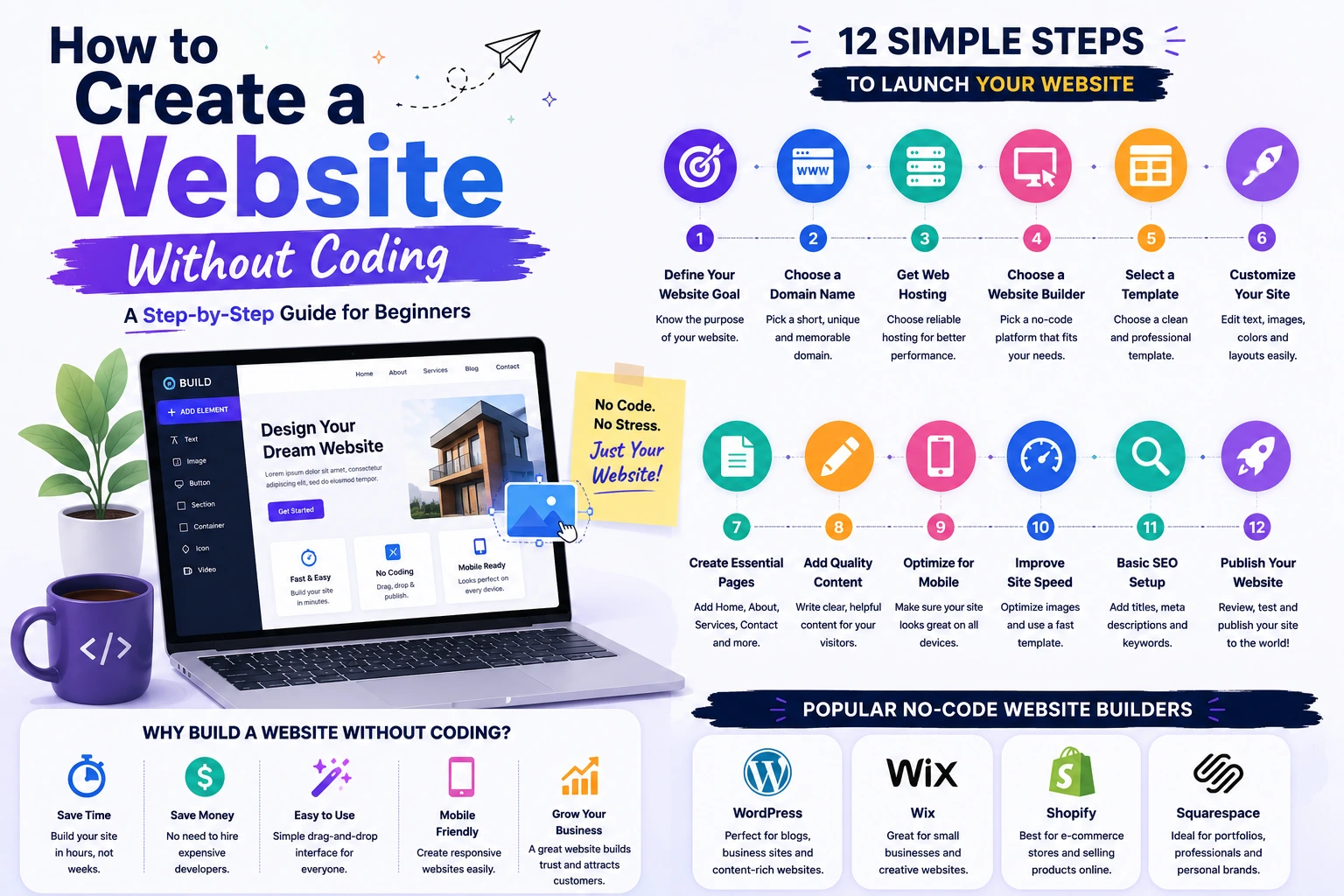
How to Create a Website Without Coding
Creating a website used to require programming knowledge and technical expertise. Today, thanks to modern website builders and content management systems, anyone can create a professional website without writing a single line of code.
Whether you want to launch a personal blog, business website, portfolio, online store, or landing page, there are powerful no-code tools that make website creation simple and accessible.
In this guide, you'll learn how to create a website without coding, from choosing a platform to publishing your site online.
Why Build a Website Without Coding?
No-code website builders have become increasingly popular because they offer:
- Faster website creation
- Lower development costs
- Easy drag-and-drop editing
- No programming knowledge required
- Professional-looking designs
- Easy maintenance
For many individuals and small businesses, no-code solutions provide everything needed to establish an online presence.
Step 1: Define Your Website Goal
Before building your website, identify its purpose.
Common website types include:
Business Website
Used to showcase services, company information, and contact details.
Portfolio Website
Used by freelancers, designers, photographers, and professionals to display their work.
Blog
Used to publish articles, tutorials, and industry insights.
E-Commerce Store
Used to sell products online.
Landing Page
Used for marketing campaigns and lead generation.
Knowing your goal helps you choose the right platform and design.
Step 2: Choose a Domain Name
Your domain name is your website's address on the internet.
Examples:
- yourbusiness.com
- yourportfolio.com
- yourblog.com
Tips for choosing a domain:
- Keep it short
- Make it memorable
- Avoid complex spellings
- Use relevant keywords when appropriate
A professional domain name helps build credibility and trust.
Step 3: Select a Website Builder
Website builders allow users to create websites through visual editors instead of coding.
Popular options include:
WordPress
Best for:
- Blogs
- Business websites
- Content-heavy websites
Advantages:
- Flexible
- SEO-friendly
- Large plugin ecosystem
Wix
Best for:
- Small businesses
- Portfolios
- Personal websites
Advantages:
- Easy drag-and-drop editor
- Beginner-friendly
Shopify
Best for:
- Online stores
- Product-based businesses
Advantages:
- E-commerce focused
- Easy inventory management
Squarespace
Best for:
- Creative professionals
- Portfolios
- Modern business websites
Advantages:
- Beautiful templates
- Easy customization
Choose a platform that matches your website goals.
Step 4: Purchase Hosting
Most website builders either include hosting or integrate easily with hosting providers.
When choosing hosting, look for:
- Fast loading speeds
- Reliable uptime
- SSL certificate
- Customer support
- Scalability
Reliable hosting helps ensure a smooth experience for your visitors.
Step 5: Choose a Professional Template
Templates provide a pre-designed layout for your website.
When selecting a template:
Choose one that is:
- Mobile-friendly
- Fast-loading
- Easy to navigate
- Relevant to your industry
Avoid overly complicated designs that can distract visitors.
A clean and professional layout usually performs best.
Step 6: Customize Your Website
Most website builders allow customization through visual editors.
You can modify:
- Colors
- Fonts
- Images
- Layouts
- Buttons
- Menus
Focus on consistency throughout your website.
Your branding should remain uniform across all pages.
Step 7: Create Essential Pages
Every website should include several core pages.
Home Page
Introduces visitors to your website.
About Page
Explains who you are and what you do.
Services or Products Page
Describes your offerings.
Contact Page
Provides ways for visitors to reach you.
Privacy Policy
Important for legal compliance and user trust.
Additional pages may include:
- Blog
- FAQ
- Testimonials
- Portfolio
Step 8: Add High-Quality Content
Content plays a major role in website success.
Include:
- Clear headlines
- Helpful information
- Strong calls-to-action
- Relevant images
Good content should answer visitor questions and encourage engagement.
Remember:
People visit websites for information, solutions, or products.
Step 9: Optimize for Mobile Devices
A large percentage of web traffic comes from smartphones and tablets.
Before publishing:
Check:
- Mobile responsiveness
- Text readability
- Button sizes
- Navigation usability
Most modern website builders automatically support mobile-friendly designs.
Step 10: Improve Website Speed
Website speed affects:
- User experience
- SEO rankings
- Conversion rates
To improve performance:
- Compress images
- Use optimized templates
- Limit unnecessary plugins
- Enable caching where available
A faster website helps keep visitors engaged.
Step 11: Basic SEO Setup
Search Engine Optimization helps people find your website through search engines.
Important SEO elements include:
Page Titles
Create descriptive and keyword-focused titles.
Meta Descriptions
Write compelling summaries for search results.
URL Structure
Use simple, readable URLs.
Internal Linking
Connect related pages together.
Image Optimization
Add descriptive image alt text.
SEO helps increase long-term organic traffic.
Step 12: Publish Your Website
Once everything is ready:
- Review all pages
- Check links
- Test forms
- Verify mobile responsiveness
- Proofread content
After publishing, your website becomes accessible to visitors worldwide.
Common Mistakes to Avoid
Choosing Style Over Usability
A beautiful website should also be easy to use.
Ignoring Mobile Users
Mobile optimization is essential.
Using Too Many Plugins
Excessive plugins can slow down your website.
Poor Navigation
Visitors should find information quickly.
Skipping SEO
Without SEO, attracting organic traffic becomes much more difficult.
Benefits of No-Code Website Builders
No-code platforms provide:
✅ Fast website creation
✅ Lower costs
✅ Easy management
✅ Professional templates
✅ Built-in tools and integrations
✅ No programming knowledge required
For many individuals and small businesses, no-code solutions are often the quickest path to launching a professional website.
Final Thoughts
Creating a website without coding has never been easier. Modern website builders allow anyone to build professional, responsive, and feature-rich websites through simple visual tools.
By choosing the right platform, creating useful content, optimizing for SEO, and focusing on user experience, you can launch a successful website without learning programming languages or hiring a developer.
The key is to focus on your website's purpose, provide value to visitors, and continuously improve your content and design over time.